Group Ordering for Restaurants: One Table, Six Phones, Zero Confusion
A table of six is a logistical puzzle. One person reads the menu out loud while the others crane their necks. Someone changes their mind twice. The server writes down "two of the chicken" and walks back to the kitchen — except one of those was supposed to be vegetarian. Group ordering, where every guest orders independently from their own phone, dissolves the puzzle. Here is how it works and why it changes the economics of a busy floor.
Why traditional group ordering breaks down
The classic flow — one menu, one server, one notepad — was designed for a table of two. Once the group grows, four problems compound on every order.
The server has to stand at the table for ten minutes while guests deliberate, ask about allergens, and change their minds. That is ten minutes the server is not turning over a different table.
Quieter guests end up ordering whatever the loudest person ordered, because asking the table to wait while you read the menu feels rude. High-margin specials and dietary alternatives go unordered.
Mistakes get written down at the table and only surface when the wrong plate lands in front of someone. By then the kitchen has already cooked it, and the comp comes out of your margin.
The check arrives as a single total, and the table spends another fifteen minutes figuring out who ordered the second glass of wine. The server waits. The next reservation waits.
How group ordering actually works
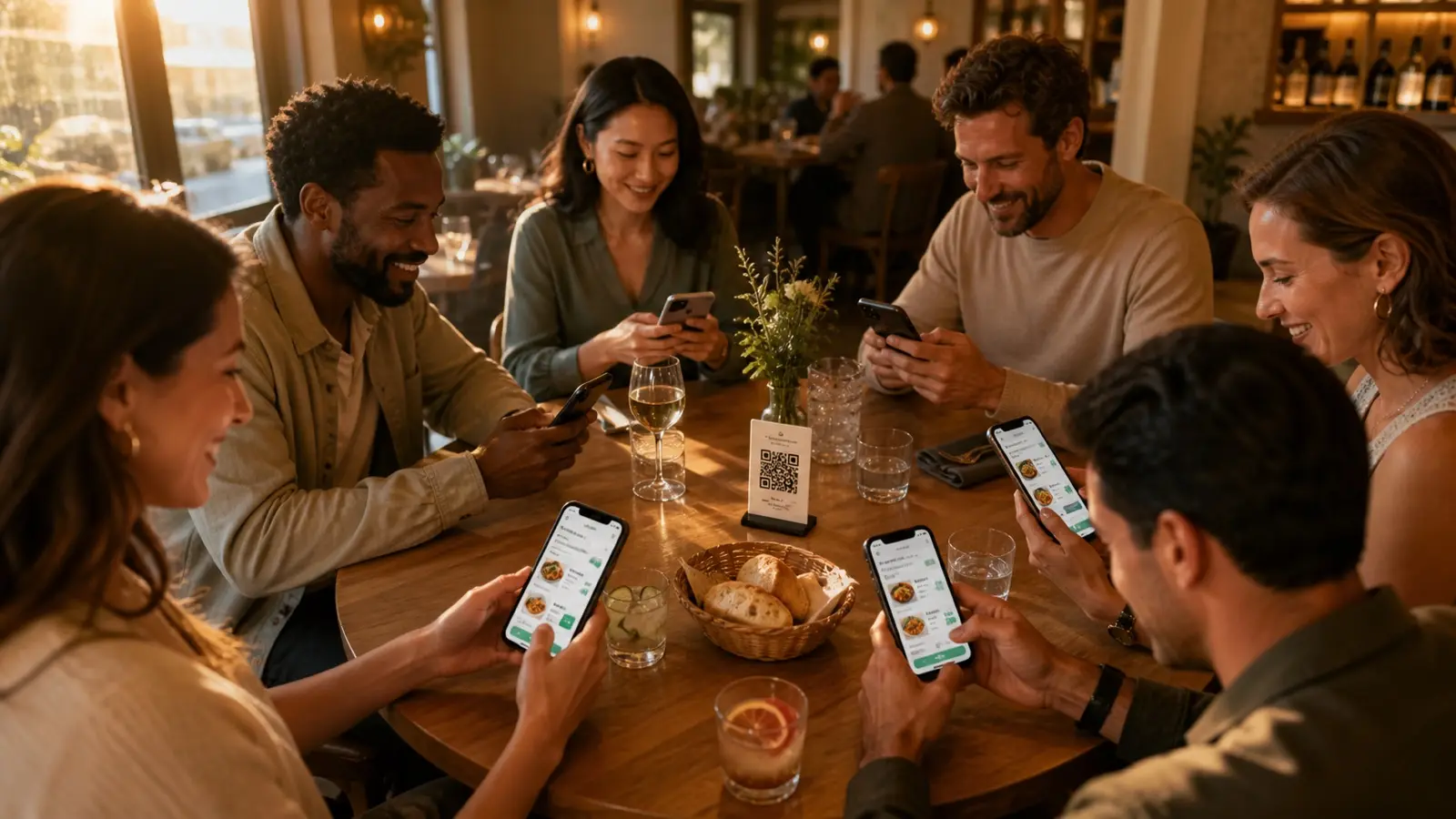
The first guest scans the QR code on the table, picks a nickname, and becomes the parent for the session. They do not need to download anything — the menu opens straight in their phone browser.
The other guests scan the same QR code, pick a nickname, and ask to join the table. The parent gets a small notification and approves them with one tap, which prevents random passers-by from joining your table.
Everyone browses the menu at their own pace. Each guest adds items to their personal cart — the kitchen will know which order belongs to which person, but the order itself goes through as a single ticket per table.
When somebody is ready, they tap "Send to kitchen". They do not have to wait for the slowest reader at the table. Late additions and second rounds work the same way: scan, add, send.
At the end, the check is split automatically by who ordered what. Each guest pays for their own items from their own phone, or one person settles the whole tab — both flows take seconds rather than minutes.
Why a parent-and-child session matters
The parent role exists to protect your table. Without it, anyone walking past with a phone could scan the QR code on the door and place an order against your tab. With parent approval, only the people the first guest actually waves over get to join. It is a thirty-second feature that solves a problem most QR menu providers ignore.
Pen-and-paper rounds vs. group ordering
On paper the difference looks like "writes things down" vs. "phone instead of pen". On the floor, the difference is what your server is doing for those ten minutes per table.
Traditional table service
- Server stands at the table for the duration of the order
- Guests rush their decisions to be polite
- Allergen and dietary requests are repeated by memory
- Order mix-ups surface only when the wrong plate is delivered
- Splitting the check at the end blocks the table for fifteen minutes
EnuMenu group ordering
- Server is freed up the moment the QR code is scanned
- Each guest browses the full menu privately, in their own time
- Allergens are filtered per guest from the menu itself
- Each item is tagged to the guest who ordered it before it reaches the kitchen
- Check splits by guest automatically — anyone can pay from their phone in seconds
Where group ordering pays off
Group ordering is not just a nice-to-have for parties of eight. It pays for itself across three everyday scenarios that most floors deal with daily.
Company lunches and team dinners
Twelve people, twelve diets, one expense account. Each colleague orders from their own phone, the check arrives split by name for expenses, and the booker pays the whole tab if needed. Nobody has to ask the server to recite the vegan options out loud.
Families with kids and indecisive teenagers
Parents handle the kids' orders from their own phone; teenagers order their own meal without waiting their turn. No more "we will come back to you" awkwardness while a six-year-old changes their mind for the third time.
Friends arriving at different times
The early arrivals eat appetizers while the late ones order entrees the moment they sit down. The kitchen never has to chase a "they will be here in ten minutes" message — orders go through whenever each guest is ready.
What it changes on your P&L
The point of group ordering is not the gadget — it is the operational change. Three numbers are worth watching after you switch.
Faster table turnover
Cutting ten minutes of order-taking and ten minutes of check-splitting from a two-hour booking gives you back roughly 17% of the table time. On a Saturday night that is one extra cover per table.
Fewer comped meals
When each guest types their own order, "I said no onions" stops happening. Comped plates from order errors typically drop to near zero — and that comes straight off the cost line.
Higher average spend per cover
Quiet diners who would have ordered "the same as her" when asked aloud are far more likely to add an appetizer, a side, or a second drink when nobody is listening. Average ticket size lifts by a few percent without changing a single menu price.
How to switch on group ordering
Group ordering is on by default for every EnuMenu account, including the free plan. There is nothing extra to install, no separate POS module, no new tablet at the pass. Print your QR codes, put them on the tables, and the next party of six will sort itself out.
Stop passing the menu around
Set up your menu, generate QR codes for your tables, and let your next group order from their own phones — for free.